Description
Youtube feed is not coming through
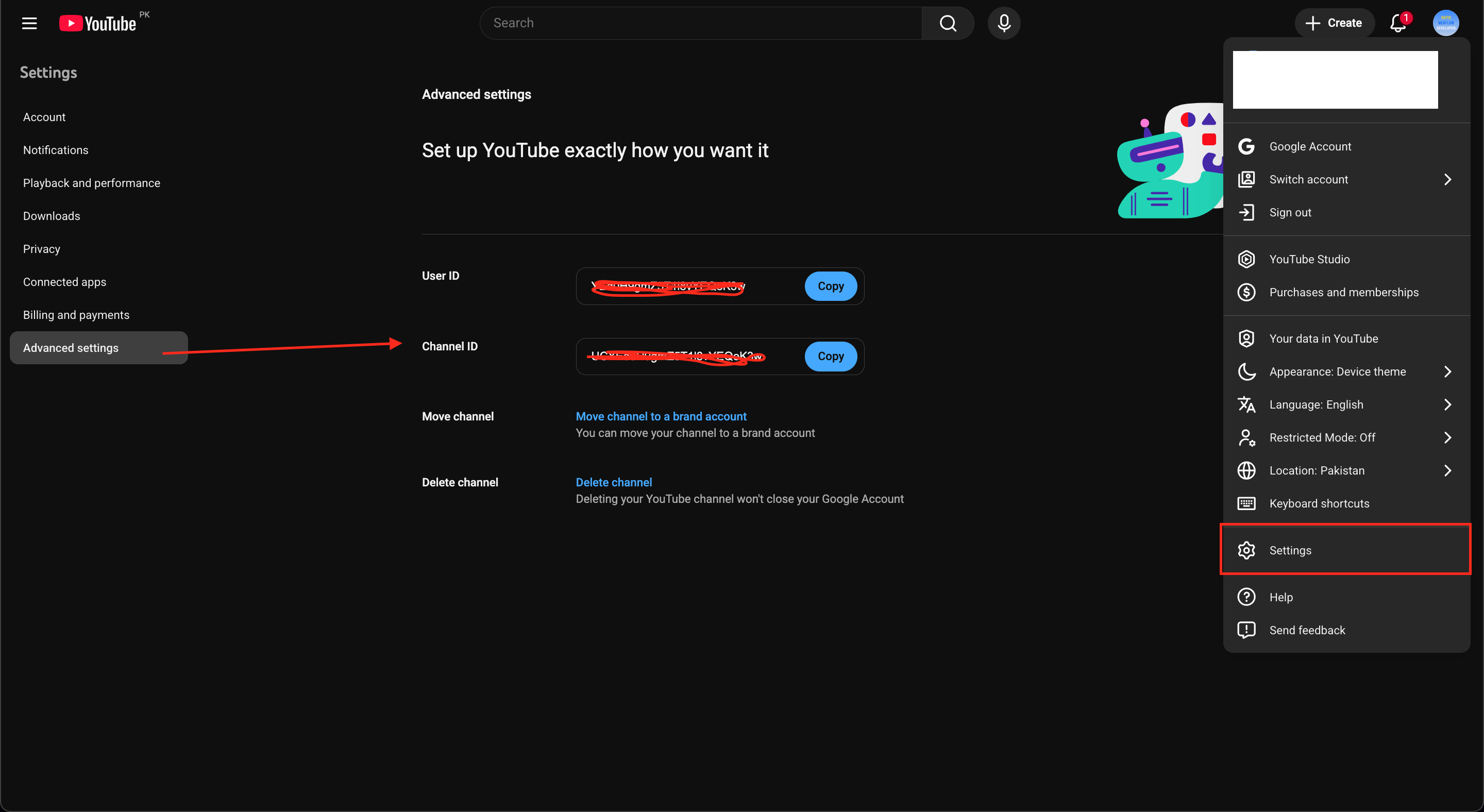
I set up my channel ID and API.
Site URL
Required: Please provide a staging/production URL where we can see the issue
- URL: [ KindEdge | Videos ]
- Webflow Read-only link: [Your Webflow Read-only link here]
Steps to Reproduce
- [Visit the page and look at the youtube slider]
- [Tell me how to fix as it is showing sample text and no feed]
…
Expected Behavior
[Should populate with my videos from youtube.com/@kindedge ]
Actual Behavior
[Nothing]
Video/Screenshots
Required: Please provide a short screen recording showing the issue
- Video link: [Loom/Screen recording URL]
- Screenshots (if applicable): [Upload or link to screenshots]
Additional Context
- Browser: [chrome latest]
- Device: [e.g., Desktop pc]
NDA Notice: If you’re under an NDA, please feel free to send us a Direct Message/Email with the above information.
Hey @msheckert!
What’s likely happening:
Finsweet Components work perfectly on .webflow.io staging URLs for free, but custom domains need an active paid subscription to function properly.
Try these quick diagnostic steps:
- Test on your .webflow.io URL first - if it loads there, it’s definitely a licensing issue.
- Check if you’ve purchased a plan - if not, that’s the root cause.
- If you do have a plan, make sure your custom domain is properly connected to your subscription in your Finsweet dashboard.
This should resolve completely once your subscription is active and properly linked to your domain. We offer both monthly/annual subscriptions and one-time lifetime plans per project.
i have a paid plan $59 full bundle. And the app is loaded and logged in and launched. Please advise.
Can you clarify #3: “If you do have a plan, make sure your custom domain is properly connected to your subscription in your Finsweet dashboard.” The app is loaded, connected, running, logged in (shows my ID) and when I create a new youtube feed instance it auto-populates the channel ID and api Key that I entered the first time. Anything else I can check?
And I confirmed the issue exists on my staging site as well. I’m 100% logged in.
I edited my API to be 100% non-restricted and re-created anew. Still nothing after waiting. I’ve also tried your Q&A tip of “make any edit and save / publish” to force a pull /refresh. Nothing is working. My youtube channel is @kindedge
Hey @msheckert!
The app and the dashboard are independent.
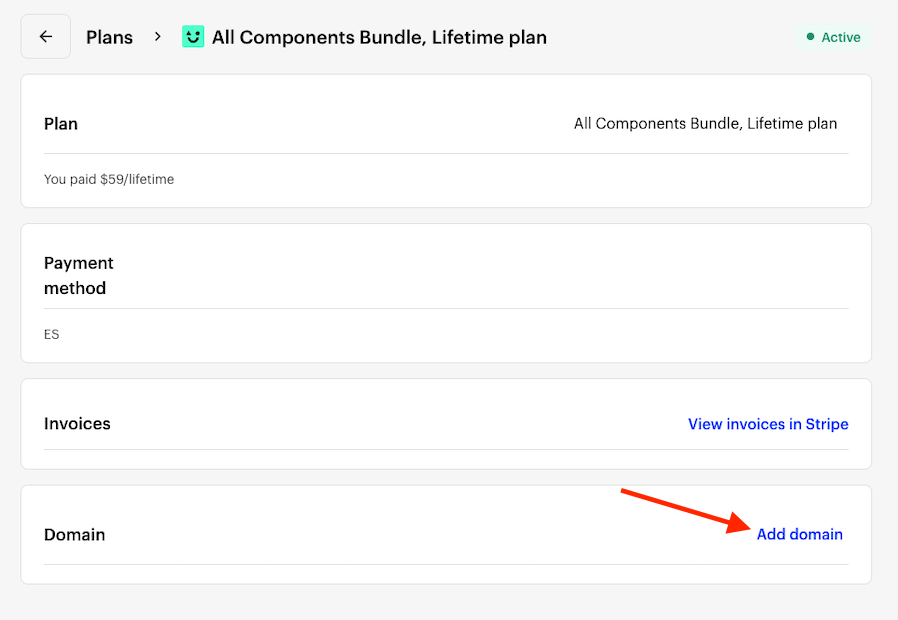
Your subscription is managed from your Finsweet account dashboard, inside the Plans tab found here → https://my.finsweet.com/plans
Once you click on manage, you’ll see this screen.
You can add your domain by clicking on the link and adding kindedge.com, and saving.
If this doesn’t fix the issue, could you please share your staging domain?
I have already done the domain setup:
Here is the staging site: KindEdge | Videos
(In case you need to see it it is here, with spaces added:
https:// kindedge-new .webflow.io/ videos )
Hey @msheckert!
Thank you for confirming the plan is correctly set up.
I noticed these errors in your staging console. Could you verify that the API key has been updated your key?
I am attaching the documentation below. Let me know if this fixes the issue 
@msheckert Once you add your YouTube Channel ID, the videos will automatically appear in the Finsweet YouTube feed.
add YouTube API key in the settings. After both are added, your channel’s videos will automatically display in the Finsweet YouTube feed.
This fixed it but this is a FINSWEET User Interface design issue. See my notes below on Finsweet issues.
PLEASE NOW tell me how to remove the slider feed I’d moved to the bottom of page when testing. It’s a duplicate. Your help files say that “you don’t yet have a delete option that won’t leave garbage code in the site.” What is the update on this? How do I delete cleanly without leaving garbage code? Thanks - Mary
- I had already entered my channel id and api key (several times!). Something didn’t save
- But when I created a new one it was already populated as **********. So it appeared to have saved. So I did not re-enter it. You should have a BLANK field if it’s not populated.
- Also - the components app should ALWAYS prompt for a login if not logged in. It is a waste of time to open the app - make edits - and THEN realize it’s not logged in - did not save login.
- Also - when I added the channel ID and api key it would not allow me to update / republish. I had to change other settings in the feed before the update button was enabled.
Just created another slider and AGAIN - it PRE-POPULATED my feed in the channel & api fields and it SHOWED my feed in the preview. But when I save / publish it gets lost. Fails. And I have to go back in and re-enter and re-pub. Please fix this.
Hello - I’m waiting for reply on above question re: how to delete a slider properly and not leave garbage code behind. thanks.
Hey @msheckert, apologies for the inconvenience.
We take this feedback very seriously, and we will be reworking the UI for this component with it in mind.
If there is anything else we can do to help please let me know.